
Records Identified for Merge
Under the selected Phone + Postal Code rule
HUBSPOT CRM CASE STUDY
A controlled deduplication workflow combining full-dataset analysis, weighted primary-record selection, manual-review safeguards and scripted HubSpot API merging.
Executive Summary
Tim needed a duplicate-company cleanup that could work at scale without losing the records the business depended on. Tech Striker built a rule-led process: analyze the full dataset, choose the primary record, protect critical data, review exceptions and execute approved merges in controlled batches.
Under the selected Phone + Postal Code rule
Compared against the actual company dataset
A dedicated review workload, not an automatic merge count
Under agreed criteria at project completion
The Starting Point
Duplicate company records had accumulated across the CRM, affecting ownership, reporting and confidence in customer data. The task was to identify genuine duplicates and decide which record should survive, not simply combine anything that looked similar.
Approximate portal scale. The cleanup in this case study concerned company records.
At the time of the project, the portal’s native duplicate-management view exposed approximately 10,000 potential duplicates, so the full company dataset was exported for analysis.

The Challenge
The native duplicate view exposed only part of the problem during the project. Full-dataset analysis was needed.
Empty fields, postal-code variations and non-standard domains could turn simple comparisons into false matches.
Records could not simply be unmerged. Choosing the wrong pair could permanently combine separate companies.
Branches, franchises and regional entities could share contact details while remaining legitimate separate records.
More than 14,000 records required merge consideration. One-by-one execution was not practical.
The client could not inspect every edge case. Clear protection rules and a structured review process were essential.
See the Full Dataset
Exporting the company data made it possible to evaluate every record, compare matching criteria and build a review process around the client’s business rules. Empty and null values were excluded from comparisons, postal codes were normalized and domains were standardized.
Full company dataset
Usable, consistent values
Tested matching rules
Explicit merge decisions
Match-Rule Testing
| Validation Rule | Project Evaluation |
|---|---|
| Company Name + Phone | A name-and-phone comparison |
| Company Name + Domain + Phone + Postal Code | A multi-field validation rule |
| Company Name + Domain + Postal Code | An alternative without the phone field |
| Phone + Postal Code | 14,208 records identified for mergeSelected with client approval |
Primary Record Selection
A weighted scoring model helped select the primary record within each duplicate group. The model considered completeness, ownership and activity alongside record age. Business-protection rules could override an otherwise straightforward match.
Consider how long the record has existed.
Check whether a phone value is available.
Account for populated domain information.
Consider existing ownership of the record.
Review activity associated with the company.
Include available industry information.
Protect Business-Critical Data
Protect customer and current/active-customer records from merge or deletion.
Prioritize records carrying business-critical partner-program values.
Retain records with linked service activity under the client's protection rules.
Consider outstanding work before deciding which record survives.
Handle branches and separate locations without assuming they are duplicates.
Route conflicting protection conditions to manual review.
Human Review
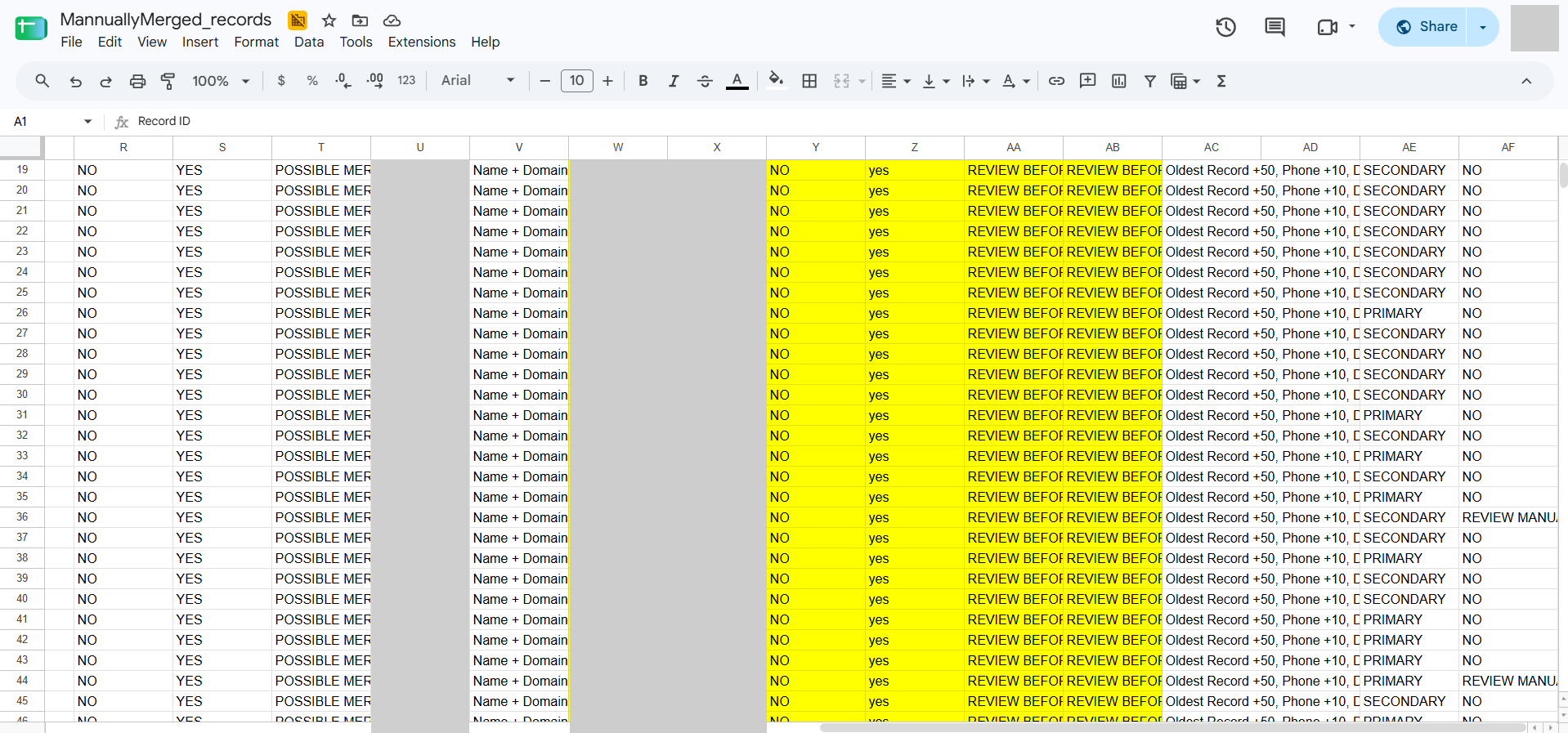
Duplicate groups were classified before execution. Ambiguous matches, branches and overlapping protection conditions stayed in review. A team of four shared the manual-review workload, with an approval column recording Approved to Merge or Do Not Merge.
Scripted Merge Automation
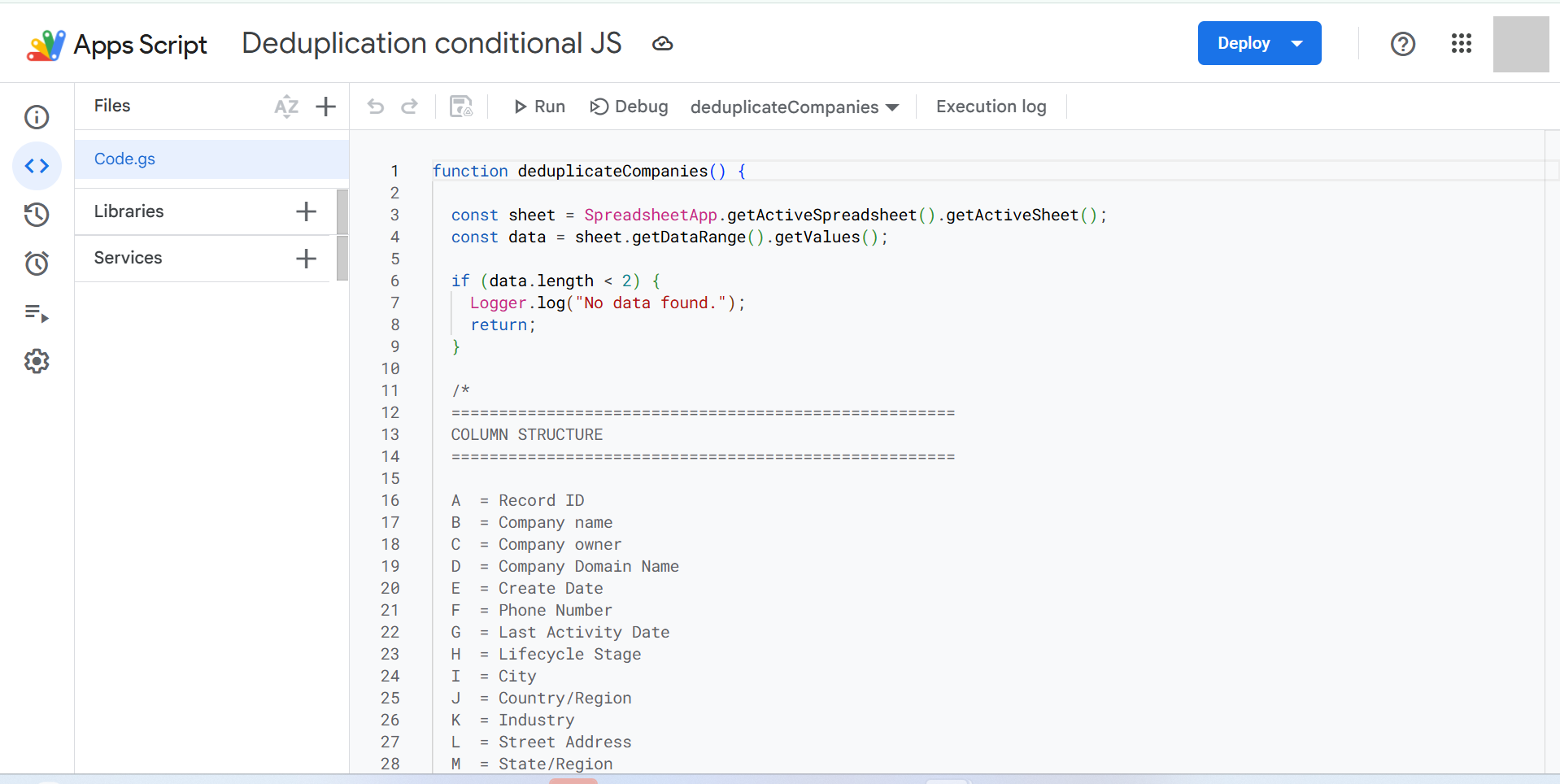
Merging around 14,000 records one by one would have been slow and error-prone. The approved Google Apps Script tool called the HubSpot API, with dry runs, result logging and validation between batches. When the client revised the criteria, the merge conditions were rebuilt to reflect the new direction.
Track the surviving HubSpot ID when a previously merged record is referenced later.
Back off and retry when API rate-limit constraints are encountered.
Preview intended merge actions before executing them in HubSpot.
Record merge results, response codes and retry counts alongside the review data.
Run a batch or dry run, and start or stop a scheduled auto-run directly from Google Sheets.
Process smaller batches and validate each output before continuing.
The Workflow
Execution and Traceability
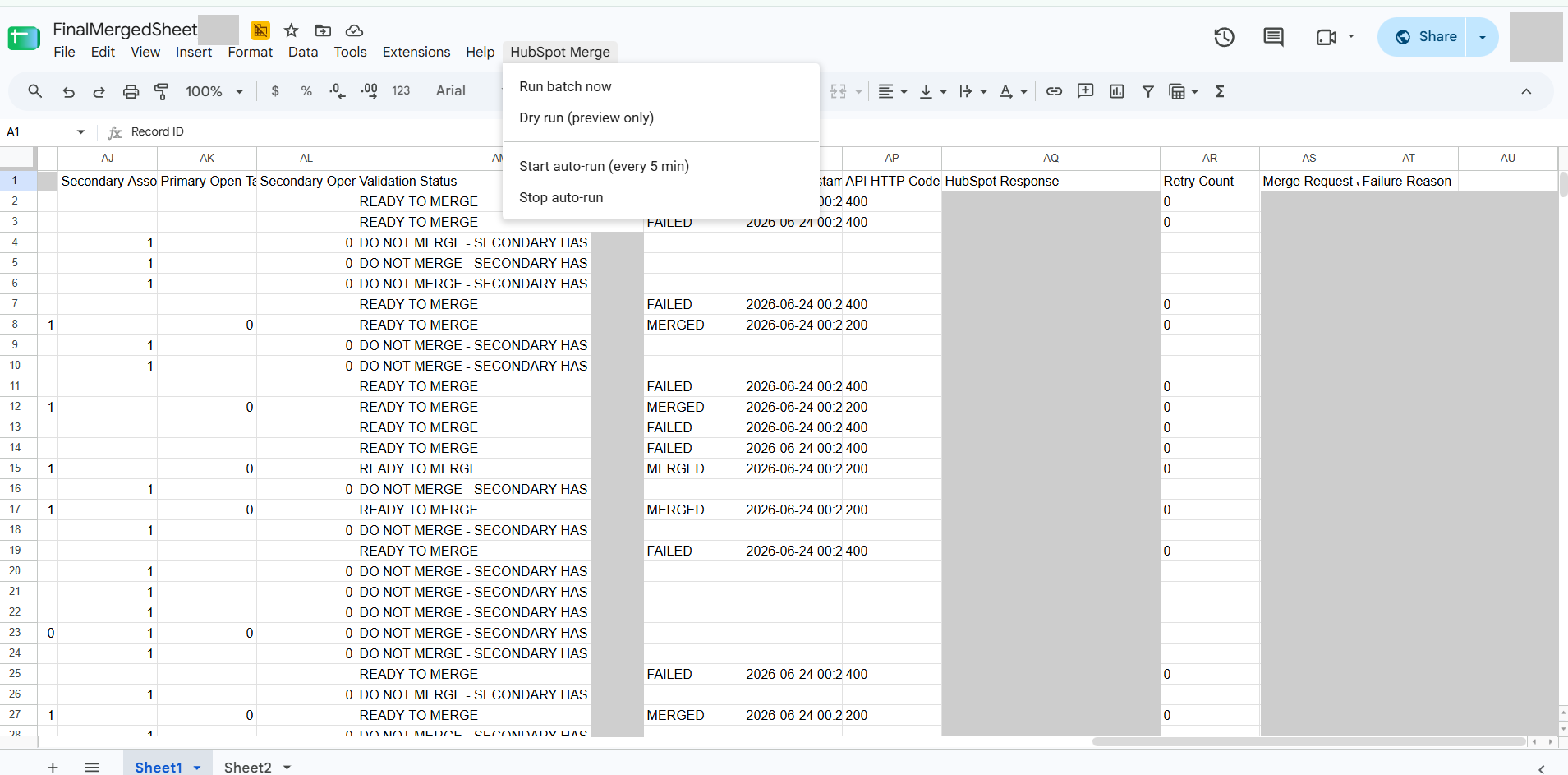
The execution capture includes both failed and merged attempts, with HTTP response codes and retry counts. It shows the logging process, not an all-success completion screen.
Technologies Used
The Outcome
All company records eligible under the client-approved rules were processed. Duplicate groups resolved to selected primary records, while protected customer and business-critical records were retained. The final sheets preserved the primary/secondary mapping and merge results.
At completion, under the agreed criteria.
Project Summary
The result was a controlled company-deduplication workflow, supported by review sheets, client-specific rules and API automation. The handover gave the next stakeholder a documented way to continue the work. Contact-level deduplication was identified as a possible follow-on phase, not part of this completed company cleanup.
Explore our HubSpot CRM Solutions, HubSpot Consulting and CRM & RevOps services, or view more Case Studies.